Diary guide
How to Create Repeat Bookings in Salon Manager
Repeat an existing appointment at regular weekly intervals across a selected date range.
Video walkthrough: creating repeat appointments in the Salon Manager diary.
Quick answer
Repeat an existing appointment
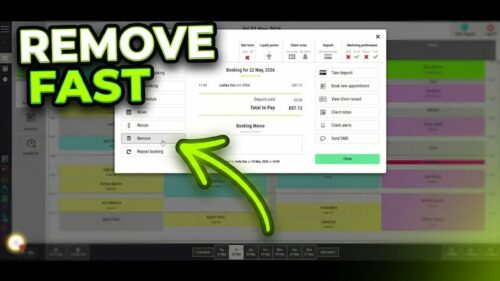
Find the appointment you want to repeat, double-click it and select Repeat Booking. Choose how often and for how long the appointment should repeat, then click Confirm.
Before you start
Have these details ready
Step-by-step instructions
How to create repeat bookings
Follow these steps to repeat an existing service with the same team member.
Open Salon Manager
Sign in and open the main Salon Manager application.
Open the Diary
Go to the Diary screen.
Find the appointment
Locate the appointment you want to repeat.
Open the appointment
Double-click the appointment.
Select Repeat Booking
Click Repeat Booking in the left-hand menu.
Open the repeat window
The Repeat Booking window will open.
Review the appointment
Check the service and team member that will be repeated.
Set the repeat interval
Enter the number of weeks between each booking.
Choose the date range
Select the start and end dates for the repeat bookings.
Review the settings
Check the service, team member, interval and date range.
Confirm the bookings
Click Confirm to create the appointments.
Check the confirmation
Review the message confirming which bookings were created or unavailable.
Useful tips
Check the interval and date range
Troubleshooting
Common issues and what to check
Frequently asked questions
Repeat-booking questions
How do I repeat an appointment in Salon Manager?
Double-click the appointment, select Repeat Booking, choose the repeat settings and click Confirm.
Where is the Repeat Booking option?
It appears in the left-hand menu after you double-click an appointment in the diary.
Can I choose how often the appointment repeats?
Yes. Enter the number of weeks between each appointment.
Can I choose when the repeat bookings end?
Yes. Set a date range for the repeat bookings.
Offline reference
Download this guide as a PDF
Keep a printable copy for diary teams or use it during staff training.
Last reviewed: 18 June 2026.