Diary guide

How to Book a New Appointment from an Existing Booking

Rebook a client directly from their existing appointment without searching for or selecting the client again.


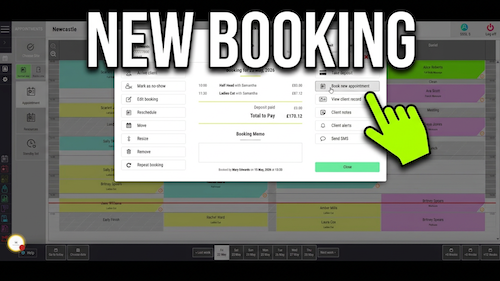
Video walkthrough: rebooking a client from an existing diary appointment.

Quick answer

Rebook a client from their existing appointment

Double-click the client’s existing appointment and select Book New Appointment. Choose the new date and time, select the required service, then click Make Booking.

Before you start

Have these details ready

Access to Salon Manager
Permission to create appointments
An existing client appointment in the Diary
The new appointment date, time and service decided

Step-by-step instructions

How to create a new appointment from an existing booking

Follow these steps to carry the client into a new appointment automatically.

1
Open Salon Manager
Sign in and open the main Salon Manager application.
2
Open the Diary
Go to the Diary screen.
3
Find the appointment
Locate the client’s existing appointment.
4
Open the appointment
Double-click the appointment.
5
Choose Book New Appointment
Click Book New Appointment on the right-hand side.
6
Check the client
The client will be selected automatically for the new booking.
7
Choose the date
Navigate to the date for the new appointment.
8
Choose the time
Click the required available time slot.
9
Select the service
Choose the service to book for the client.
10
Review the appointment
Check the client, date, time and selected service.
11
Make the booking
Click Make Booking.
12
Check the Diary
Confirm that the new appointment appears in the diary.

Useful tips

Rebook clients more quickly

Using Book New Appointment saves time because the client is selected automatically.
Double-check the new appointment date and time before confirming.
Review the selected service to ensure the correct treatment has been chosen.
Use this method to rebook clients while they are still in the salon.

Troubleshooting

Common issues and what to check

Book New Appointment is not visible

Make sure you have double-clicked an existing appointment in the diary.

The client is not selected automatically

Close the booking screen and start again using Book New Appointment from the client’s existing appointment.

I cannot book the selected time

The time slot may be unavailable. Choose another available time in the diary.

The booking was not created

Make sure you selected a service and clicked Make Booking.

Frequently asked questions

Client rebooking questions

Can I create a future appointment from an existing booking?

Yes. Double-click the existing appointment and select Book New Appointment.

Will the client be selected automatically?

Yes. The client is automatically carried into the new booking.

Can I choose a different date?

Yes. Navigate to any available date before selecting the appointment time.

Can I choose a different service?

Yes. Select the service you want before confirming the appointment.

How do I save the new appointment?

Click Make Booking at the bottom right of the booking screen.

Offline reference

Download this guide as a PDF

Keep a printable copy for diary teams or use it during staff training.

Download PDF Guide

Last reviewed: 18 June 2026.

Other recommended guides

© 2026 Salon Software Solutions Ltd

Website by Yello