
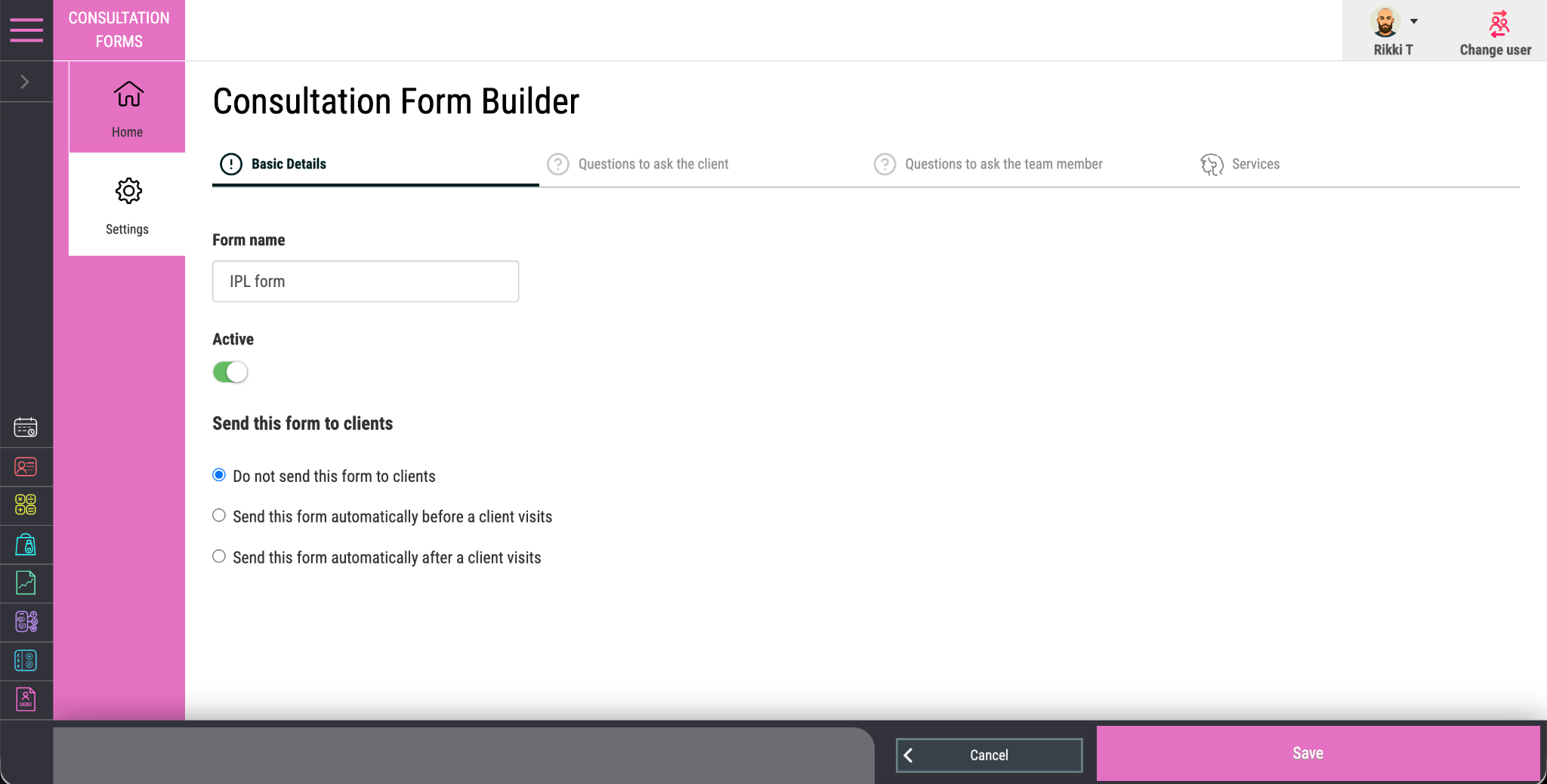

Custom in-salon forms
Create consultation, digital consent and patch-test forms around your services and professional process.
Digital consultation forms
Create salon consultation forms around the services you provide. Salon Manager software can send the relevant form before an appointment, collect answers and signatures online, and keep the completed record with the client. Your team can review the details before treatment begins. Digital consultation forms are included in every Salon Manager package.
A personal walkthrough • UK support • No obligation
Built around the working day
A generic form cannot cover every service. Colour, skin tests and beauty treatments can call for different questions, checks and preparation. Create a consultation that reflects the service, then give the client and team member the parts they each need to complete.
The right questions, connected to the right visit.
An online salon management system keeps the consultation connected to the visit. Clients can complete forms on a phone, tablet or computer. Your salon booking software and salon CRM help the team find the appointment and review the client’s completed answers before treatment.
See how this connects with your salon CRM.
The tools your team will use
Create consultation, digital consent and patch-test forms around your services and professional process.
Send the correct form automatically before the booking, reducing manual chasing at reception.
Choose the medical, preference, consent and preparation questions clients need to answer.
Add the professional checks and treatment questions the practitioner needs to complete.
Record client agreement and the professional sign-off required from the person delivering the service.
Allow forms to be completed on a phone, tablet or computer before the visit or in the salon.
Keep each completed and signed form securely connected to the correct client record.
Retain answers, signatures, completion status and history for authorised users to review.
From features to everyday work
| Stage | What happens | Connected record |
|---|---|---|
| Before the visit | Send the service-specific form for the booked appointment. | Appointment and client details. |
| Client completion | The client answers questions and signs on their device. | Completed answers and client sign-off. |
| Professional review | The team reviews responses and completes relevant checks. | Practitioner questions and sign-off. |
| After the visit | Authorised users can find the completed form history. | The salon CRM client record. |
The salon remains responsible for choosing suitable questions and reviewing the answers before treatment. Software supports the workflow; it does not make the professional decision.
Make it work your way
Choose the questions, declarations, professional checks and signatures needed for the service. Review wording for your own process.
Connect the form to the relevant booking workflow. Clients can complete it before the visit or use a device in the salon.
Check the responses and complete the professional sign-off. Keep the finished form connected to the client record for authorised access.
Salon software UK
The best salon software for consultations should connect the right questions, signatures and client record. Test the whole process with a service your salon provides. Check which questions the client answers, which checks staff complete and who signs. Make sure the completed record is easy to find before the next appointment.
When reviewing salon software for groups, confirm who can view completed consultation forms across locations.
For the wider salon software system, compare packages and inclusions and see the full feature range.
An AI salon receptionist can handle routine appointment calls, while your team reviews the consultation before treatment. Ask to see both parts of the client journey during your demonstration.
Frequently asked questions
Clear answers about digital consultation forms, before you choose your setup.
Have a workflow we have not covered? Talk it through in your demo.
Build your connected salon
Keep signed forms with the right client history.
Connect forms with the booked service.
Review controls for access to client information.
Your salon. Your workflows.
We will show how to build it around your services, send it before a visit and review the signed result from the client record.


